


NetGear WGT624v4 flash dump

Модель флеш:MX25L3205D
Скачать ниже:
NetGear WGT624v4 flash dump

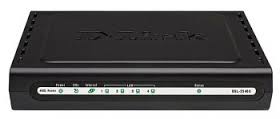
Dlink DIR-320 NRU B1 flash dump

Модель флеш:W25Q64BV
Скачать ниже:
DIR-320 NRU B1 flash dump v1.4.3


P2000G3, P2000G2 SMU default password
P2000G3, P2000G2 default password
Default login: manage
Default password: !manage
Default login: manage
Default password: !manage

Отправка email с помощью Perl без авторизации
## without authorization
sub send_mail {
my $to = $_[0];
my $subject = $_[1];
my $body = $_[2];
%mail = (To => $to,
From => 'fromuser@somehost.com', ## << from
Subject => $subject,
Message => $body,
);
$mail{Smtp} = 'smtpserver.somedomain.com'; # << SMTP server
sendmail(%mail) or die $Mail::Sendmail::error;
print "Sendmail log:\n", $Mail::Sendmail::log;
}
Usage:
&send_mail('mailbox@somehost.com', $email_subject, $email);
sub send_mail {
my $to = $_[0];
my $subject = $_[1];
my $body = $_[2];
%mail = (To => $to,
From => 'fromuser@somehost.com', ## << from
Subject => $subject,
Message => $body,
);
$mail{Smtp} = 'smtpserver.somedomain.com'; # << SMTP server
sendmail(%mail) or die $Mail::Sendmail::error;
print "Sendmail log:\n", $Mail::Sendmail::log;
}
Usage:
&send_mail('mailbox@somehost.com', $email_subject, $email);
HP-UX fix broken PATH
If you broke variable $PATH, you may restore it with following command:
export PATH=$(/sbin/cat /etc/PATH)
and
PATH=$PATH:/usr/sbin
export PATH=$(/sbin/cat /etc/PATH)
and
PATH=$PATH:/usr/sbin
Коды ошибок LaserJet Pro 400 M401
Коды ошибок HP LaserJet Pro 400 Printer M401 находятся по ссылке:
http://h20000.www2.hp.com/bizsupport/TechSupport/Document.jsp?lang=en&cc=us&taskId=110&prodSeriesId=5096252&prodTypeId=18972&prodSeriesId=5096252&objectID=c03304304
http://h20000.www2.hp.com/bizsupport/TechSupport/Document.jsp?lang=en&cc=us&taskId=110&prodSeriesId=5096252&prodTypeId=18972&prodSeriesId=5096252&objectID=c03304304


HP M6612 3.5-inch SAS Drive Enclosure (AJ832A) controller photo
Вот так выглядит SAS контроллер дисковой полки M6612 AJ832A изнутри:

HP Desktop pc beep codes
Описание beep кодов для рабочих станций HP:
http://h10025.www1.hp.com/ewfrf/wc/document?cc=us&dlc=en&docname=bph07107&lc=en&product=3548643
http://h10025.www1.hp.com/ewfrf/wc/document?cc=us&dlc=en&docname=bph07107&lc=en&product=3548643
HP scexe firmware extraction
You may extract firmware from scexe file under linux operating system with following steps:
1. Obtain scexe to extract
2. Obtain linux box
3. Make scexe file executable: chmod +x <filename>.scexe
4. Run scexe file with special key: ./<filename>.scexe --unpack=<folder_name>
, where <folder_name> is folder, where you want to place extracted files.
In folder you find binary firmware files for your device.
1. Obtain scexe to extract
2. Obtain linux box
3. Make scexe file executable: chmod +x <filename>.scexe
4. Run scexe file with special key: ./<filename>.scexe --unpack=<folder_name>
, where <folder_name> is folder, where you want to place extracted files.
In folder you find binary firmware files for your device.
Подписаться на:
Сообщения (Atom)